Automation: Gorgias Integration Setup
Text Guide
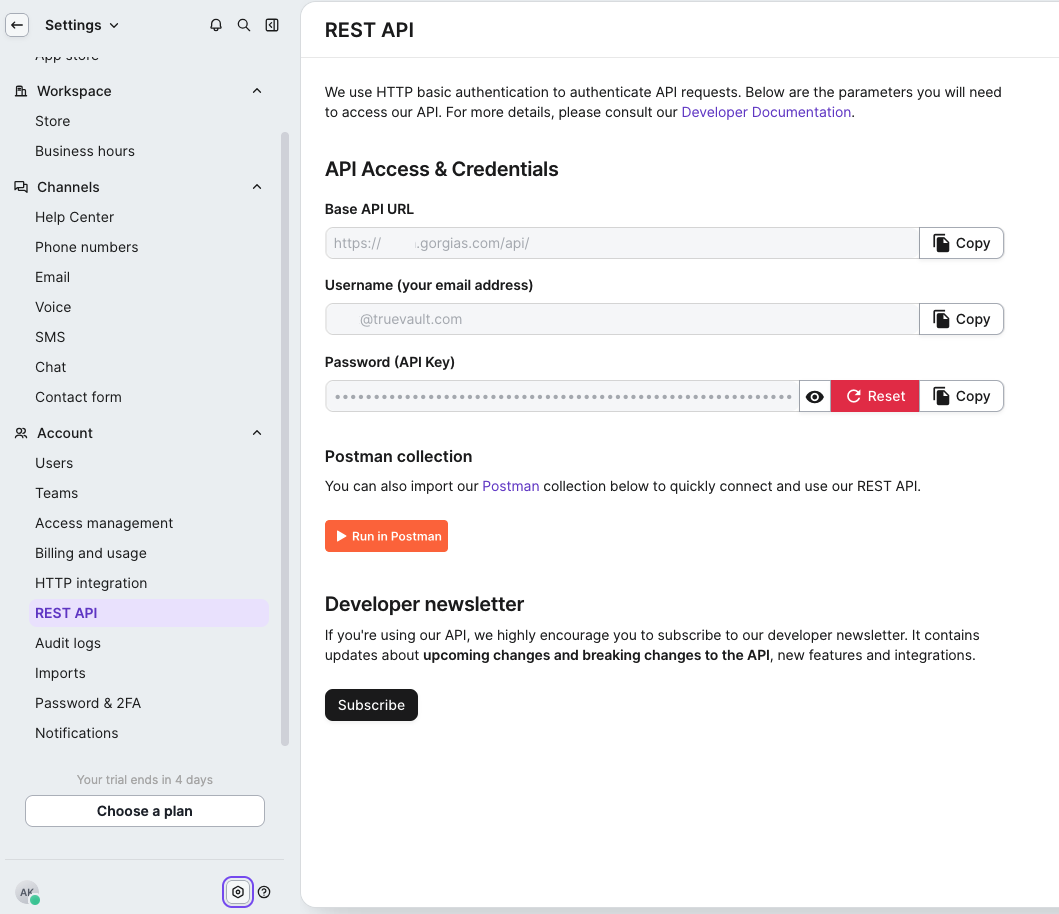
Gorgias has a few values that you'll need to record. For each bold item below, copy the value somewhere safe like a password manager and label it to make it easy to track.
- Log in to your Gorgias account and note your account Domain (e.g.
your-company.gorgias.com) - Open
Settings -> REST APIand create a new API key- Copy the Username (the email address associated with the key)
- Copy the API Key
- Navigate to the Integrations page in Polaris and click
Connectfor Gorgias - Click
Connectin the popup and enter the following values that you copied earlier:- Domain
- Username
- API Key
- Close the connection popup
Validating the Integration
To verify a deletion request in Gorgias, log in to your Gorgias account and navigate to the customer list. Observe that the consumer in question can no longer be found, having been removed from your Gorgias account.
- Note that deletion removes the consumer's user profile only. Their correspondence (tickets and messages) is not deleted.